
Overview
Keep track of your agents without checking every session. See which agents need input and what your teammates are working on. Leave unfinished work open, come back later, or join a teammate’s session to help.
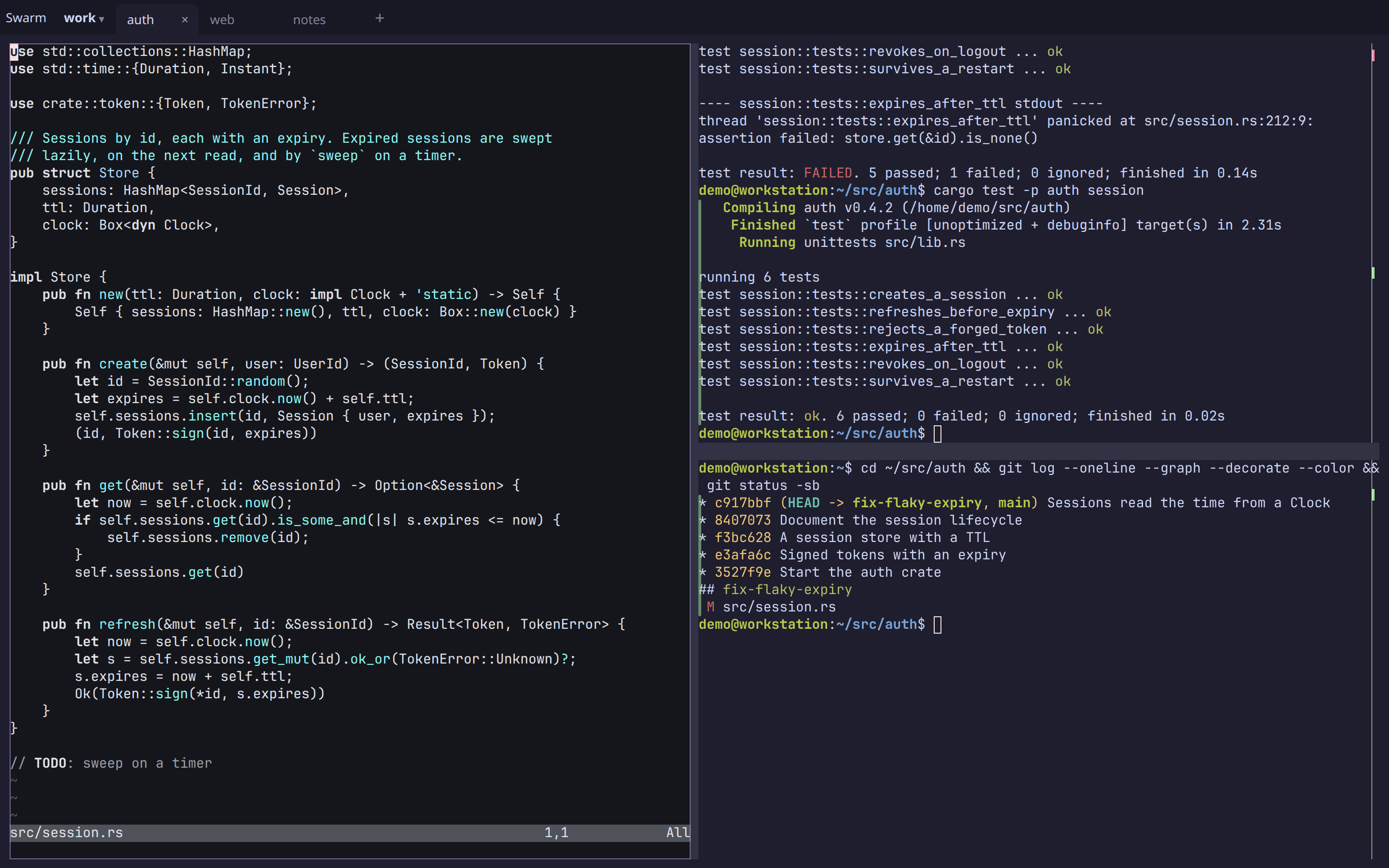
Arugula is a terminal multiplexer whose sessions outlive the window, the daemon and the reboot. A daemon owns your terminals; the browser (desktop or phone) draws tabs and splits you drive with the mouse.
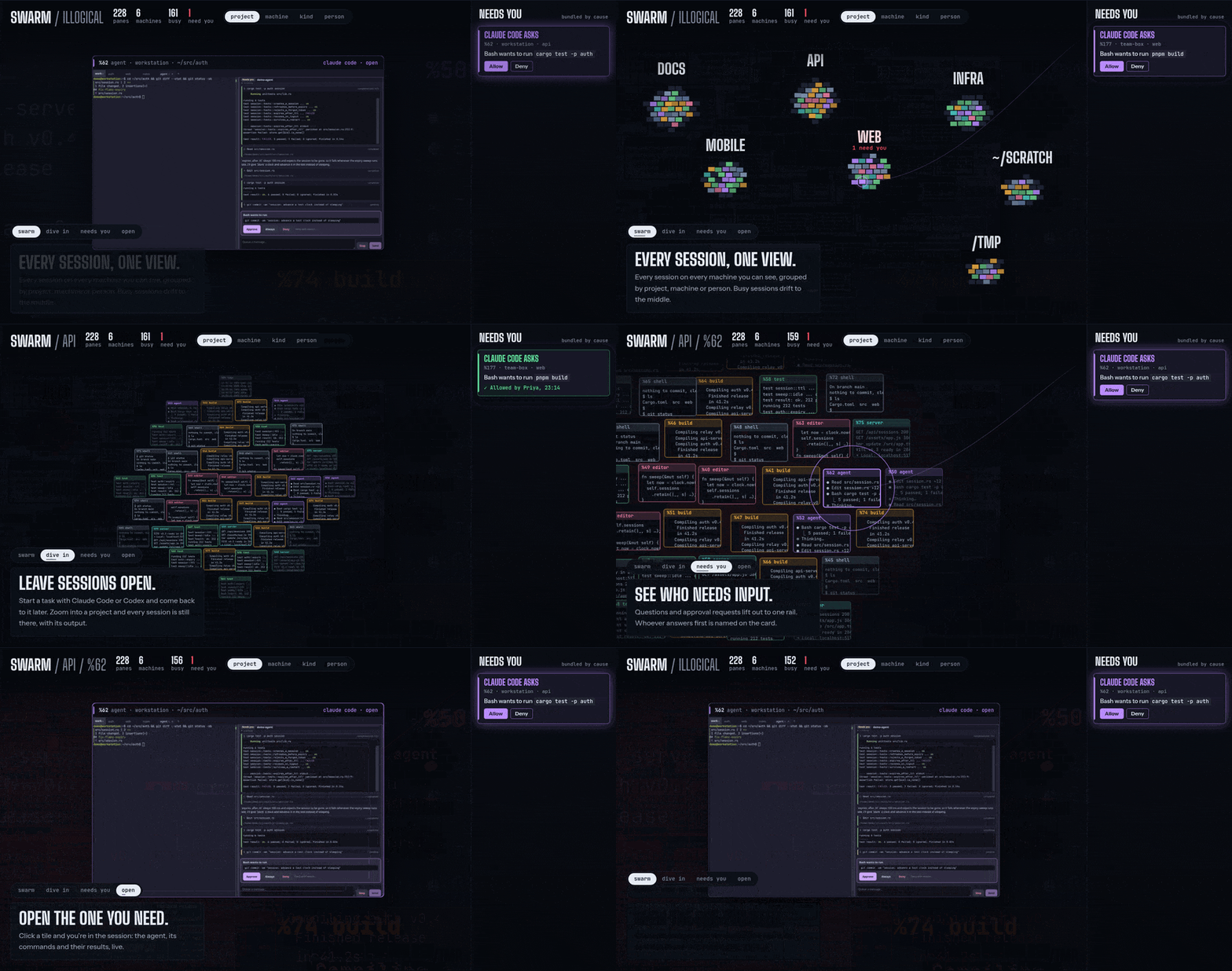
- The swarm. Every pane on every machine you and your team can see, in one live view, clustered by project, machine, kind or person. Whatever needs someone (an agent asking, a build failing) lifts out to a rail of cards, where anyone on the team who may answer allows, answers or sends the agent its next instruction, and everyone sees who did.
- Agents as blocks. Claude Code, Codex or any ACP agent as a UI beside your terminals: tool calls with their output, approvals and questions as cards big enough for a thumb.
- Mouse first. Click, drag and right-click for tabs and splits. No chords to learn, no prefix key.
- Durable. Close the window, lose the connection, restart the daemon or
reboot: the layout, working directories and scrollback come back, and
each pane does what you told it to (a shell where it was, re-run its
command,
claude --continue). On Linux a daemon restart doesn’t even touch running programs. - Anywhere on your tailnet. The same live layout on every window and your phone, over Tailscale. Push notifications when a pane rings, a long command finishes, or an agent needs you.
- VS Code and dev servers beside your terminals (opt-in). Open in
editor (or
arugula edit src/main.rs:42) opens VS Code on the pane’s machine, in its directory, as a block, back with its file after a restart; Open a port… shows a dev server beside its terminal. Both are off until the daemon gets a listener for them (one flag for this computer’s browser; a domain of yours for the phone): see advanced setup. - What did the agent change? Changes on a pane (or
arugula diff) lists the files changed in its repository, on its machine, with +/−; tap a file for its hunks and a line to see the file there, both updating while the agent works. Phone first, and a failed build is a Rerun tap away. - Your editor in the swarm. VS Code, Cursor or nvim (over Remote-SSH too) shows up beside your panes once you ask it to. Follow its cursor from your phone; a debugger stopping, or Claude Code wanting to edit a file, is a card you answer from anywhere.
- Scriptable.
arugula, a CLI for scripts and agents: run, send, wait for a command or a match, tail, search every pane’s history. - In any terminal, too.
arugula tuidraws the same tabs and splits in the terminal you’re in (over ssh as well), with a sidebar of what needs you: allow an agent’s request from there without opening its pane. Select, search a pane’s whole history and copy, to your own clipboard over ssh.
Linux (x86_64, arm64), macOS (Apple silicon and Intel) and Windows 10 and 11 (x86_64). Share a session with someone, or a whole machine with a team, with roles and presence (Your machines, your team). Remote access is over your tailnet, or through Arugula control for devices without one: end to end encrypted, so what the service relays it can’t read, and it can’t add a reader to your machines. You do trust it for the web client it serves (what holds).
Start here
Section titled “Start here”- Install: the desktop app,
install.sh, Homebrew or from source. - Quickstart: the browser, your phone, scripts, agents and MCP.
- Features: everything it does, in detail.
- Advanced setup: web apps beside their terminals, more machines and containers, iTerm2 as a tmux client.
- Your machines, your team: roles, personal vs team machines, sharing a session.
- Arugula control: hosted or your own; how it keeps out of your terminals.
- The CLI: the CLI and the HTTP API.
- Building from source: building, testing, the code’s layout, and what building it taught us.
- Decisions: the decisions that still hold.
- The original plan: the original plan and every milestone.